
UpdatedJan 2, 2018
PublishedJan 2, 2018
Packagecom.zendesk.android
MD58c024b089c0271bfe54e181ec0043f32
SHA1 (signer)B6:6F:77:5B:75:AD:44:90:82:F0:D7:91:3C:77:7E:60:CD:C8:D8:E3
Signed byO=Zendesk
Malware scanTRUSTED
Websitehttps://support.zendesk.com/
Contact[email protected]
Privacy policyView
What's new
‧ This month we made improvements to the commenting experience. We know it’s hard managing customer issues on-the-go and even more difficult when an urgent response is required. With that in mind, we’ve made it simpler to help you get things done faster.
‧ To view all changes in this release, head to: https://goo.gl/Te3etA
‧ If you’re interested in joining our Zendesk mobile beta community, please email us at [email protected]. We’d love to hear from you!
‧ To view all changes in this release, head to: https://goo.gl/Te3etA
‧ If you’re interested in joining our Zendesk mobile beta community, please email us at [email protected]. We’d love to hear from you!
Description
Great customer support is tied to the customer — not a desk. Zendesk Support for Android is built for team leaders and agents on the move.
The features of Support for Android include:
• Access to your ticket views
• Sorting and grouping of ticket lists
• Scroll through tickets by swiping left and right
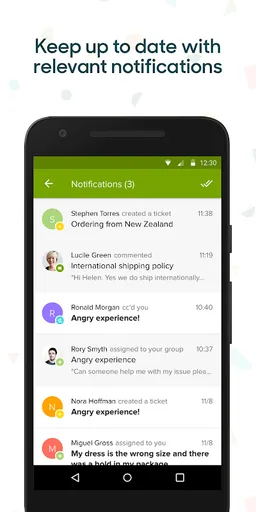
• A real-time list of activity on your tickets in a notification feed
• Get push notifications on ticket updates
• Configure which notifications you receive and when
• View the details of your tickets including comments with rich text and inline images
• Respond to tickets and update assignee, CCs, tags, and any other ticket fields
• Apply predefined responses, or macros, to tickets containing frequently asked questions
• Preview macro changes
• Upload and view attachments on tickets
• Take a photo and attach it to a ticket
• Search tickets
• Deeplink from emails into your tickets
• Pick up where you last left off on a ticket as you go from mobile to desktop (Mac)
• Leave feedback and report issues directly through the app
Zendesk builds software for better customer relationships. Zendesk Support is a beautifully simple system for tracking, prioritizing, and solving customer support tickets.
The features of Support for Android include:
• Access to your ticket views
• Sorting and grouping of ticket lists
• Scroll through tickets by swiping left and right
• A real-time list of activity on your tickets in a notification feed
• Get push notifications on ticket updates
• Configure which notifications you receive and when
• View the details of your tickets including comments with rich text and inline images
• Respond to tickets and update assignee, CCs, tags, and any other ticket fields
• Apply predefined responses, or macros, to tickets containing frequently asked questions
• Preview macro changes
• Upload and view attachments on tickets
• Take a photo and attach it to a ticket
• Search tickets
• Deeplink from emails into your tickets
• Pick up where you last left off on a ticket as you go from mobile to desktop (Mac)
• Leave feedback and report issues directly through the app
Zendesk builds software for better customer relationships. Zendesk Support is a beautifully simple system for tracking, prioritizing, and solving customer support tickets.
Required features
- Screen Portrait android.hardware.screen.portrait
- Touchscreen android.hardware.touchscreen
Permissions (7)
Zendesk Support requests the following Android permissions:
- Access Network State android.permission.ACCESS_NETWORK_STATE
- Internet android.permission.INTERNET
- Receive Boot Completed android.permission.RECEIVE_BOOT_COMPLETED
- Vibrate android.permission.VIBRATE
- Wake Lock android.permission.WAKE_LOCK
- C2dm Permission Receive com.google.android.c2dm.permission.RECEIVE
- Com Zendesk Android Permission C2d Message com.zendesk.android.permission.C2D_MESSAGE