Репетитор. Русский язык
Class 4 - 8, CT Spelling through vocabulary dictations
rugrammar · ru.mom.gramm




UpdatedJun 8, 2024
PublishedMar 28, 2021
Packageru.mom.gramm
MD59c040bf92a6468fd7e074a48e80636f7
SHA1 (signer)BA:E3:F7:02:CF:6A:D9:2F:B5:86:8E:5A:06:A6:71:A5:C4:4B:B6:23
Signed byCN=Vladimir Sidyganov, OU=momexe, O=Model of Moscow, L=Moscow, ST=Moscow, C=RU
Malware scanTRUSTED
Contact[email protected]
Privacy policyView
What's new
Устранены мелкие ошибки. Оптимизирована графика.
Description
This program will replace expensive classes with a regular tutor-teacher, will help you remember the
and prepare for the Unified State Exam.
1. Gives the task.
2. During execution, the Tutor
each of your correct and incorrect answers. - Explains: WHY so and not otherwise.
3. At the end of the exercise,
.
4. The tutor
to improve your literacy on each specific topic.
:
-
after sizzling.
- Vowels after sibilants and
.
- Spelling
and
in various parts of speech.
-
merged or separately.
- The use of particles
and
.
- Roots alternating.
- Prefixes.
-
and vowels at the junction of the prefix and root.
-
of nouns, verbs, participles.
- Vowels in verb endings and participle suffixes
-
spelling of words.
This program is a stripped-down version of another program:
, from which redundant information has been removed:
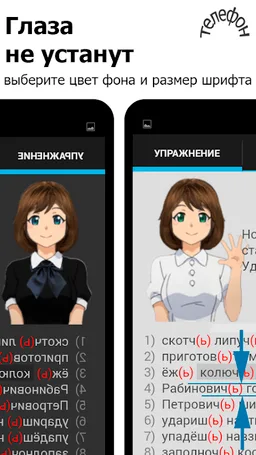
Added animation to the interface:
.
The material is compact, visible and intended for
. This, in fact, was the goal: to limit the exercises to only systemic cases, which present a real difficulty in writing.
If the teacher does not speak aloud, but only moves her lips, then
Enter the program settings (tab on the right - with a gear) and click on the buttons
1. Speaking aloud - On.
2. The language of the TTS module is Russian.
If an inscription appears in response that the Russian language is not supported, then
1. First, install the Google Text-to-Speech program from GooglePlay.
2. Then enter
"Settings" - "Language and input" - "Speech synthesis" - "System default" (Android 4.4) or in
"Settings" - "System" - "Language and input" - "Advanced settings" - "Synthesis of speech" - "Default synthesizer" (Android 8)
3. Replace the default "Pico TTS" with "Google Speech Services".
and prepare for the Unified State Exam.
1. Gives the task.
2. During execution, the Tutor
each of your correct and incorrect answers. - Explains: WHY so and not otherwise.
3. At the end of the exercise,
.
4. The tutor
to improve your literacy on each specific topic.
:
-
after sizzling.
- Vowels after sibilants and
.
- Spelling
and
in various parts of speech.
-
merged or separately.
- The use of particles
and
.
- Roots alternating.
- Prefixes.
-
and vowels at the junction of the prefix and root.
-
of nouns, verbs, participles.
- Vowels in verb endings and participle suffixes
-
spelling of words.
This program is a stripped-down version of another program:
, from which redundant information has been removed:
Added animation to the interface:
.
The material is compact, visible and intended for
. This, in fact, was the goal: to limit the exercises to only systemic cases, which present a real difficulty in writing.
If the teacher does not speak aloud, but only moves her lips, then
Enter the program settings (tab on the right - with a gear) and click on the buttons
1. Speaking aloud - On.
2. The language of the TTS module is Russian.
If an inscription appears in response that the Russian language is not supported, then
1. First, install the Google Text-to-Speech program from GooglePlay.
2. Then enter
"Settings" - "Language and input" - "Speech synthesis" - "System default" (Android 4.4) or in
"Settings" - "System" - "Language and input" - "Advanced settings" - "Synthesis of speech" - "Default synthesizer" (Android 8)
3. Replace the default "Pico TTS" with "Google Speech Services".
Required features
- Faketouch android.hardware.faketouch