ReadEra - book reader pdf, epub, word
Read books PDF, EPUB, WORD, KINDLE, MOBI! Your ebook reader among reading apps.
READERA LLC · org.readera









UpdatedDec 19, 2021
PublishedDec 19, 2021
Packageorg.readera
MD5b4d94d3cf602366e16e40ee460712717
SHA1 (signer)2A:61:64:0C:91:E9:5A:B7:66:9B:D5:19:ED:B5:46:C8:F0:ED:60:DA
Signed byCN=Dmitry Razdrokin, O=Readera LCC
Architecturesx86, x86-64, armeabi-v7a, arm64-v8a
Malware scanTRUSTED
Websitehttps://readera.ru
Contact[email protected]
What's new
Improved library manager:
- Manage files of books and documents in the app: you can copy, move, rename, delete a duplicate file, quickly go to a book or document file in the "About document" section.
- Ability to exclude folders, individual books, and documents from scanning.
- Folders got a counter of supported books and documents.
Added Telugu and Gujarati interface languages. Thanks to Vijesh Varma and Kamlesh Bhankharia for the translation.
- Manage files of books and documents in the app: you can copy, move, rename, delete a duplicate file, quickly go to a book or document file in the "About document" section.
- Ability to exclude folders, individual books, and documents from scanning.
- Folders got a counter of supported books and documents.
Added Telugu and Gujarati interface languages. Thanks to Vijesh Varma and Kamlesh Bhankharia for the translation.
Description
ReadEra — book reader allows reading books for free, offline in PDF, EPUB, Microsoft Word (DOC, DOCX, RTF), Kindle (MOBI, AZW3), DJVU, FB2, TXT, ODT and CHM formats.
Read books without ads. The ReadEra program for reading books and viewing PDF documents neither contains ads nor imposes internal purchases.
We’ve made a fast, reliable reader app that doesn't compel users to use any specific services. The book reader works offline and is entirely free. Read books for free without limits!
ReadEra is a set of reading apps in one app, which reads well multiple types of formats: book Epub, Kindle (MOBI, AZW3), Fb2; business PDF, Djvu; office Microsoft Word (DOC, DOCX, RTF), ODT; text TXT and others. Reading books, viewing Microsoft Word documents and PDF files from zip archives.
The book reader combines in it all advantages of different reading apps.
PDF reader – margin cropping for pdf files in pdf viewer. The single-column mode will split a double-page spread image from a scanned pdf book into two separate pages. Opens large pdf documents.
EPUB reader & MOBI reader reveals all advantages of the EPUB and MOBI formats for eBooks.
WORD reader forms contents of a book by titles.
FB2 reader opens books of fb2 format from zip archive; no need to unpack.
The reader for books, ReadEra, reads all popular formats of books, journals, articles and other documents in one app.
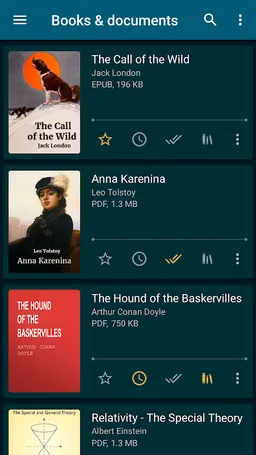
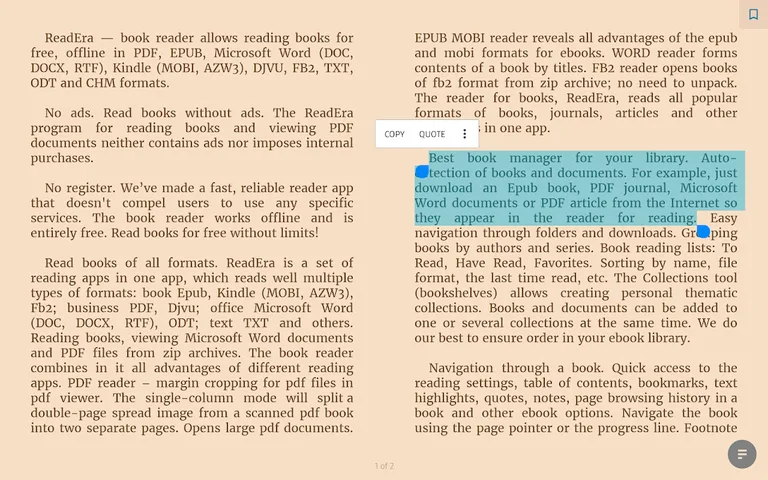
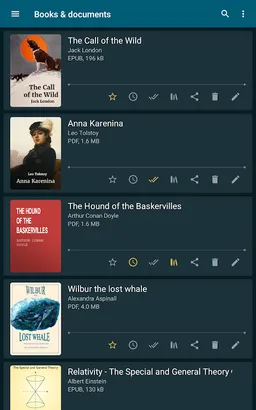
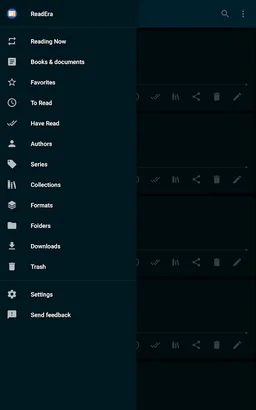
Auto-detection of books and documents. Just download an Epub book, PDF journal, Microsoft Word documents or PDF article from the Internet so they appear in the reader for reading. Easy navigation through folders and downloads. Grouping books by authors and series. Book reading lists: To Read, Have Read, Favorites. The Collections tool (bookshelves) allows creating personal thematic collections. Books and documents can be added to one or several collections at the same time. We do our best to ensure order in your eBook library.
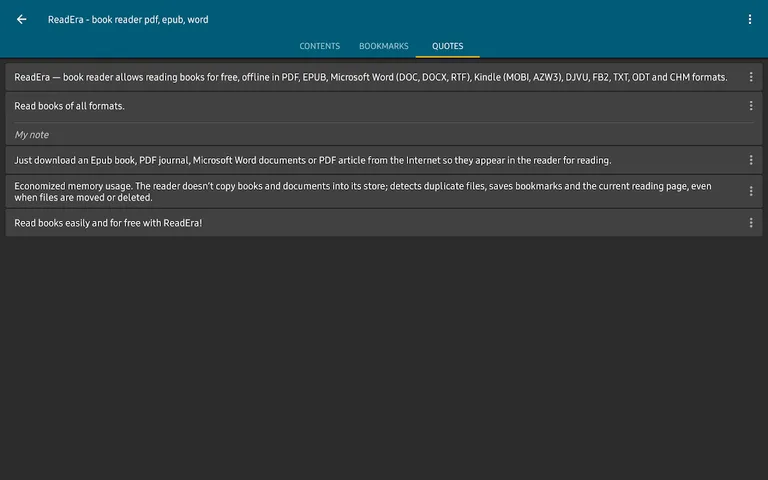
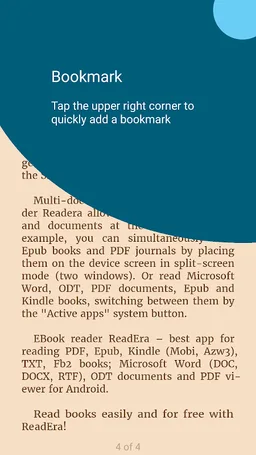
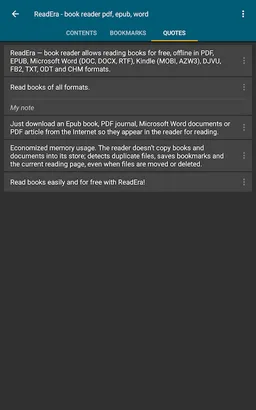
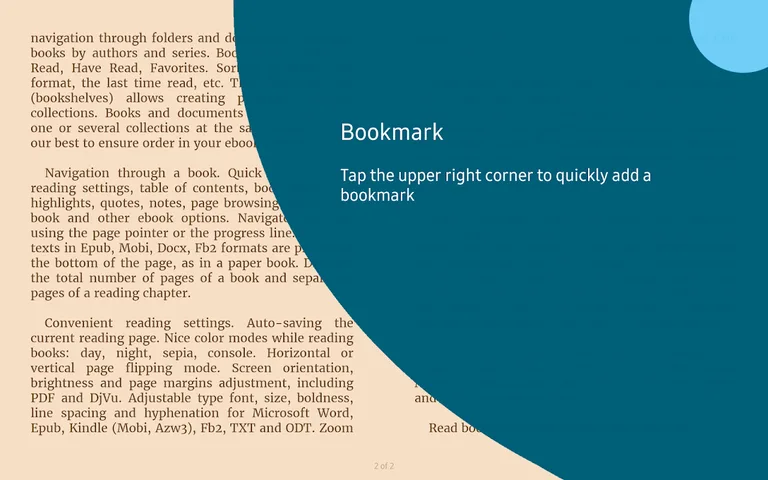
Quick access to the reading settings, table of contents, bookmarks, text highlights, quotes, notes, page browsing history in a book and other eBook options. Navigate the book using the page pointer or the progress line. Footnote texts in Epub, Mobi, Docx, Fb2 formats are printed at the bottom of the page, as in a paper book. Displays the total number of pages of a book and separately pages of a reading chapter.
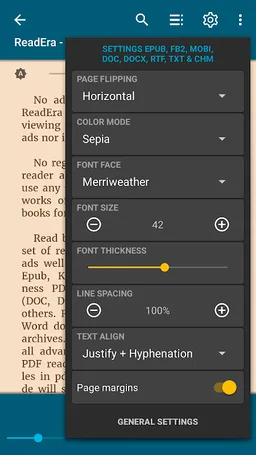
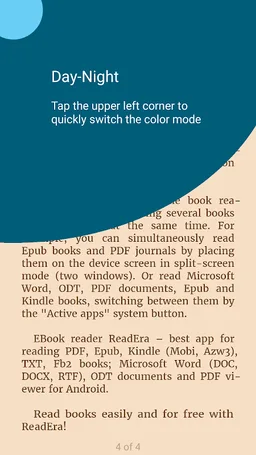
Auto-saving the current reading page. Nice color modes while reading books: day, night, sepia, console. Horizontal or vertical page flipping mode. Screen orientation, brightness and page margins adjustment, including PDF and DjVu. Adjustable type font, size, boldness, line spacing and hyphenation for Microsoft Word, Epub, Kindle (Mobi, Azw3), Fb2, TXT and ODT. Zoom option for PDF file and Djvu file when you read PDF and read Djvu.
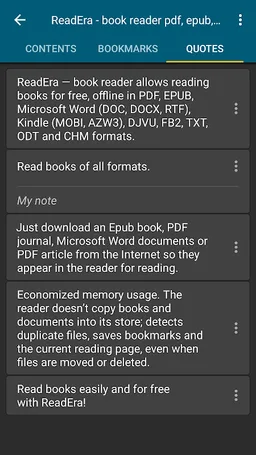
The reader doesn’t copy books and documents into its store; detects duplicate files, saves bookmarks and the current reading page, even when files are moved or deleted. For example, even if you delete files and download books again, you’ll be able to continue reading books from the last read page. EBook ReadEra allows storing data on the SD card.
The book reader Readera allows reading several books and documents at the same time. For example, you can simultaneously read Epub books and PDF journals by placing them on the device screen in split-screen mode (two windows). Or read Microsoft Word, ODT, PDF documents, Epub/Mobi and Kindle books, switching between them by the "Active apps" system button.
EBook reader ReadEra – best app for reading PDF, Epub, Kindle (Mobi, Azw3), TXT, Fb2 books; Microsoft Word (DOC, DOCX, RTF), ODT documents and PDF viewer for Android.
Read books without ads. The ReadEra program for reading books and viewing PDF documents neither contains ads nor imposes internal purchases.
We’ve made a fast, reliable reader app that doesn't compel users to use any specific services. The book reader works offline and is entirely free. Read books for free without limits!
ReadEra is a set of reading apps in one app, which reads well multiple types of formats: book Epub, Kindle (MOBI, AZW3), Fb2; business PDF, Djvu; office Microsoft Word (DOC, DOCX, RTF), ODT; text TXT and others. Reading books, viewing Microsoft Word documents and PDF files from zip archives.
The book reader combines in it all advantages of different reading apps.
PDF reader – margin cropping for pdf files in pdf viewer. The single-column mode will split a double-page spread image from a scanned pdf book into two separate pages. Opens large pdf documents.
EPUB reader & MOBI reader reveals all advantages of the EPUB and MOBI formats for eBooks.
WORD reader forms contents of a book by titles.
FB2 reader opens books of fb2 format from zip archive; no need to unpack.
The reader for books, ReadEra, reads all popular formats of books, journals, articles and other documents in one app.
Auto-detection of books and documents. Just download an Epub book, PDF journal, Microsoft Word documents or PDF article from the Internet so they appear in the reader for reading. Easy navigation through folders and downloads. Grouping books by authors and series. Book reading lists: To Read, Have Read, Favorites. The Collections tool (bookshelves) allows creating personal thematic collections. Books and documents can be added to one or several collections at the same time. We do our best to ensure order in your eBook library.
Quick access to the reading settings, table of contents, bookmarks, text highlights, quotes, notes, page browsing history in a book and other eBook options. Navigate the book using the page pointer or the progress line. Footnote texts in Epub, Mobi, Docx, Fb2 formats are printed at the bottom of the page, as in a paper book. Displays the total number of pages of a book and separately pages of a reading chapter.
Auto-saving the current reading page. Nice color modes while reading books: day, night, sepia, console. Horizontal or vertical page flipping mode. Screen orientation, brightness and page margins adjustment, including PDF and DjVu. Adjustable type font, size, boldness, line spacing and hyphenation for Microsoft Word, Epub, Kindle (Mobi, Azw3), Fb2, TXT and ODT. Zoom option for PDF file and Djvu file when you read PDF and read Djvu.
The reader doesn’t copy books and documents into its store; detects duplicate files, saves bookmarks and the current reading page, even when files are moved or deleted. For example, even if you delete files and download books again, you’ll be able to continue reading books from the last read page. EBook ReadEra allows storing data on the SD card.
The book reader Readera allows reading several books and documents at the same time. For example, you can simultaneously read Epub books and PDF journals by placing them on the device screen in split-screen mode (two windows). Or read Microsoft Word, ODT, PDF documents, Epub/Mobi and Kindle books, switching between them by the "Active apps" system button.
EBook reader ReadEra – best app for reading PDF, Epub, Kindle (Mobi, Azw3), TXT, Fb2 books; Microsoft Word (DOC, DOCX, RTF), ODT documents and PDF viewer for Android.
Required features
- Faketouch android.hardware.faketouch
- Screen Portrait android.hardware.screen.portrait
Permissions (13)
ReadEra - book reader pdf, epub, word requests the following Android permissions:
- Access Network State android.permission.ACCESS_NETWORK_STATE
- Foreground Service android.permission.FOREGROUND_SERVICE
- Internet android.permission.INTERNET
- Manage External Storage android.permission.MANAGE_EXTERNAL_STORAGE
- Read External Storage android.permission.READ_EXTERNAL_STORAGE
- Receive Boot Completed android.permission.RECEIVE_BOOT_COMPLETED
- Request Install Packages android.permission.REQUEST_INSTALL_PACKAGES
- Wake Lock android.permission.WAKE_LOCK
- Write External Storage android.permission.WRITE_EXTERNAL_STORAGE
- Com Huawei Appmarket Service Commondata Permission Get Common Data com.huawei.appmarket.service.commondata.permission.GET_COMMON_DATA
- Com Huawei Hwid Permission Gameservice Archive Access Provider com.huawei.hwid.permission.gameservice.archive.access.provider
- Org Readera Permission Process Push Msg org.readera.permission.PROCESS_PUSH_MSG
- Org Readera Permission Push Provider org.readera.permission.PUSH_PROVIDER