Q-companion
Work more efficiently and safely with your loader by using the Q-companion app.
Ålö AB · se.quicke.qcompanion





UpdatedMar 24, 2026
PublishedApr 9, 2021
Packagese.quicke.qcompanion
MD5c9a6122a745dd95a949bfb52fa3c799d
SHA1 (signer)BB:3F:BB:37:0D:17:90:02:40:48:33:38:E9:F9:F9:92:2C:D1:8C:1B
Signed byCN="Ann-Kristin Viklund, O=Alo, L=Umea, C=SE"
Architecturesx86-64, arm64-v8a
Malware scanTRUSTED
Websitehttp://alo.se
Contact[email protected]
Privacy policyView
What's new
- Various improvements and bug fixes
- Improved activity import via BLE
- Improved activity import via BLE
Description
Q-companion is an innovative driver support feature for the Quicke Q-series front loaders. It helps you work efficient and safe with your loader. The system includes a position monitor that shows you the implement angle and height on a display inside the tractor cab, helping you work with better precision and safety. The on-board weighing function saves time during the daily work, by letting you know how much lift force remains and how much weight you have loaded. Also, the Q-companion tells you when it is time to re-torque hardware and time to grease the loader.
Now Q-companion also comes with an app and a web service which lets you transfer your work results to the cloud for secure storage, while at the same time making your information available for follow-up anywhere and anytime.
The app allows you to:
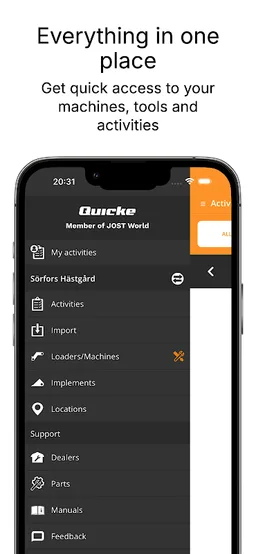
• Manage the work activities on your farm and easily document the results
• Find and summarize work results thanks to an easy-to-use web interface with calendar and filtering functions
• Conveniently keep track of how many lifts were performed or how much weight has been lifted to better understand material flows
• Easily transfer work results from the Q-companion display into the app using wireless transfer
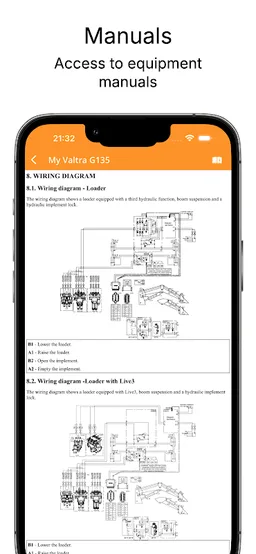
• Have convenient access to information about your loader and implements, including the loader manual, quickly accessible inside the app
Now Q-companion also comes with an app and a web service which lets you transfer your work results to the cloud for secure storage, while at the same time making your information available for follow-up anywhere and anytime.
The app allows you to:
• Manage the work activities on your farm and easily document the results
• Find and summarize work results thanks to an easy-to-use web interface with calendar and filtering functions
• Conveniently keep track of how many lifts were performed or how much weight has been lifted to better understand material flows
• Easily transfer work results from the Q-companion display into the app using wireless transfer
• Have convenient access to information about your loader and implements, including the loader manual, quickly accessible inside the app
Required features
- Bluetooth android.hardware.bluetooth
- Bluetooth Le android.hardware.bluetooth_le
- Camera android.hardware.camera
- Faketouch android.hardware.faketouch
- Location android.hardware.location
Permissions (19)
Q-companion requests the following Android permissions:
- Access Coarse Location android.permission.ACCESS_COARSE_LOCATION
- Access Fine Location android.permission.ACCESS_FINE_LOCATION
- Access Network State android.permission.ACCESS_NETWORK_STATE
- Bluetooth android.permission.BLUETOOTH
- Bluetooth Admin android.permission.BLUETOOTH_ADMIN
- Bluetooth Advertise android.permission.BLUETOOTH_ADVERTISE
- Bluetooth Connect android.permission.BLUETOOTH_CONNECT
- Bluetooth Scan android.permission.BLUETOOTH_SCAN
- Camera android.permission.CAMERA
- Flashlight android.permission.FLASHLIGHT
- Internet android.permission.INTERNET
- Post Notifications android.permission.POST_NOTIFICATIONS
- Vibrate android.permission.VIBRATE
- Wake Lock android.permission.WAKE_LOCK
- C2dm Permission Receive com.google.android.c2dm.permission.RECEIVE
- Finsky Permission Bind Get Install Referrer Service com.google.android.finsky.permission.BIND_GET_INSTALL_REFERRER_SERVICE
- Gms Permission Ad Id com.google.android.gms.permission.AD_ID
- Providers Gsf Permission Read Gservices com.google.android.providers.gsf.permission.READ_GSERVICES
- Se Quicke Qcompanion Dynamic Receiver Not Exported Permission se.quicke.qcompanion.DYNAMIC_RECEIVER_NOT_EXPORTED_PERMISSION