
UpdatedMar 26, 2025
PublishedApr 2, 2023
Packagecz.nic.mojeid.key.android
MD526270bcc43098e32c22730f370f31910
SHA1 (signer)52:8D:BA:E2:BB:DF:95:5C:60:8A:22:3A:8A:20:83:07:60:24:F5:1A
Signed byCN=Android, OU=Android, O=Google Inc., L=Mountain View, ST=California, C=US
Architecturesx86, x86-64, armeabi-v7a, arm64-v8a
Malware scanTRUSTED
Websitehttps://mojeid.cz
Contact[email protected]
Privacy policyView
What's new
**Release Notes – MojeID Klíč**
**Version 1.3.0**
**New Features**
- **Login via QR code** – You can now log in quickly and easily by scanning a QR code, improving both convenience and security.
**Fixes and Improvements**
- Fixed minor issues with notification display.
- Improved app stability and performance.
- Optimized synchronization process across devices.
**Version 1.3.0**
**New Features**
- **Login via QR code** – You can now log in quickly and easily by scanning a QR code, improving both convenience and security.
**Fixes and Improvements**
- Fixed minor issues with notification display.
- Improved app stability and performance.
- Optimized synchronization process across devices.
Description
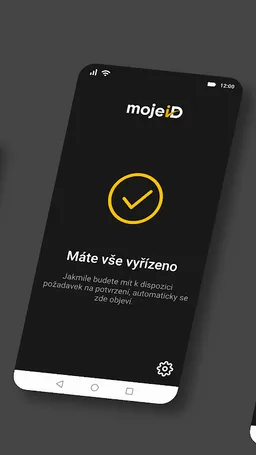
MojeID Klíč will make your mojeID account even more secure. Along with your personal password, your account will be also secured by a second factor — your mobile device with the MojeID Klíč app paired with your mojeID account. Authentication of any login via mojeID will then require your additional approval in MojeID Klíč.
Security provided by our service is sufficient for connecting your account to National identity authority (NIA) which allows you to use public administration services and other eligible institutions. It is proven to have the same security level as other software and hardware (USB/NFC/Bluetooth) security keys available on the market.
You can set MojeID Klíč as the second authentication factor in you mojeID account's settings. The app is restricted to support only one account at a time.
More information on two-factor authentication and accessing public services can be found at https://www.mojeid.cz
Security provided by our service is sufficient for connecting your account to National identity authority (NIA) which allows you to use public administration services and other eligible institutions. It is proven to have the same security level as other software and hardware (USB/NFC/Bluetooth) security keys available on the market.
You can set MojeID Klíč as the second authentication factor in you mojeID account's settings. The app is restricted to support only one account at a time.
More information on two-factor authentication and accessing public services can be found at https://www.mojeid.cz
Required features
- Faketouch android.hardware.faketouch
- Location android.hardware.location
- Screen Portrait android.hardware.screen.portrait
Permissions (14)
MojeID Klíč requests the following Android permissions:
- Access Coarse Location android.permission.ACCESS_COARSE_LOCATION
- Access Fine Location android.permission.ACCESS_FINE_LOCATION
- Access Network State android.permission.ACCESS_NETWORK_STATE
- Camera android.permission.CAMERA
- Foreground Service android.permission.FOREGROUND_SERVICE
- Internet android.permission.INTERNET
- Post Notifications android.permission.POST_NOTIFICATIONS
- Receive Boot Completed android.permission.RECEIVE_BOOT_COMPLETED
- Use Biometric android.permission.USE_BIOMETRIC
- Use Fingerprint android.permission.USE_FINGERPRINT
- Vibrate android.permission.VIBRATE
- Wake Lock android.permission.WAKE_LOCK
- C2dm Permission Receive com.google.android.c2dm.permission.RECEIVE
- Cz Nic Mojeid Key Android Dynamic Receiver Not Exported Permission cz.nic.mojeid.key.android.DYNAMIC_RECEIVER_NOT_EXPORTED_PERMISSION