DS note
A smart and easy way to take and organise notes, stored on your Synology NAS
Synology Inc. · com.synology.dsnote


UpdatedMay 21, 2024
PublishedJan 18, 2021
Packagecom.synology.dsnote
MD59fd7e292c21a2284fd6dd6c43405b9ec
SHA1 (signer)88:69:F2:6A:12:00:46:7F:DB:60:B8:F4:F2:AE:6C:7F:E4:33:F5:53
Signed byCN=Synology, OU=Synology, O=Synology, L=Taipei, ST=Taiwan, C=TW
Architecturesx86, x86-64, armeabi-v7a, arm64-v8a
Malware scanTRUSTED
Contact[email protected]
Privacy policyView
What's new
Fixed Issues
1. Fixed a security vulnerability regarding SSL certificate.
1. Fixed a security vulnerability regarding SSL certificate.
Description
**You must own a Synology NAS to run this app, and be running the Note Station 1.1 package to get the complete set of features**
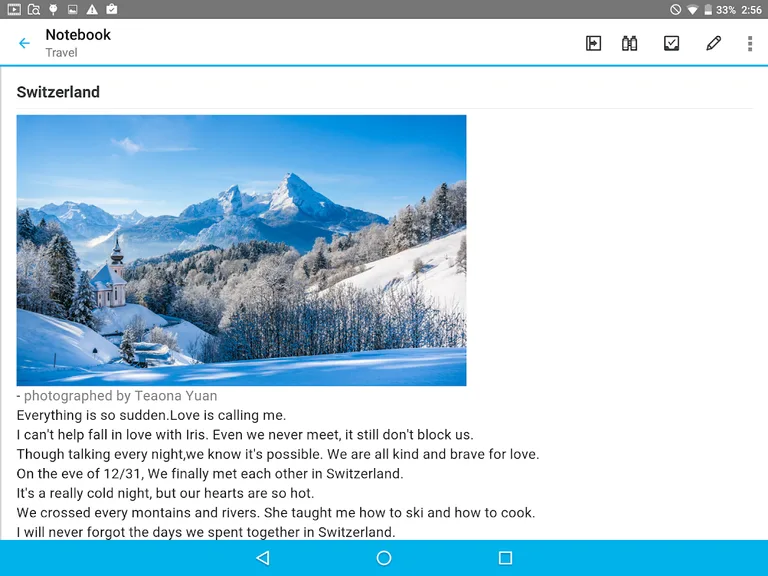
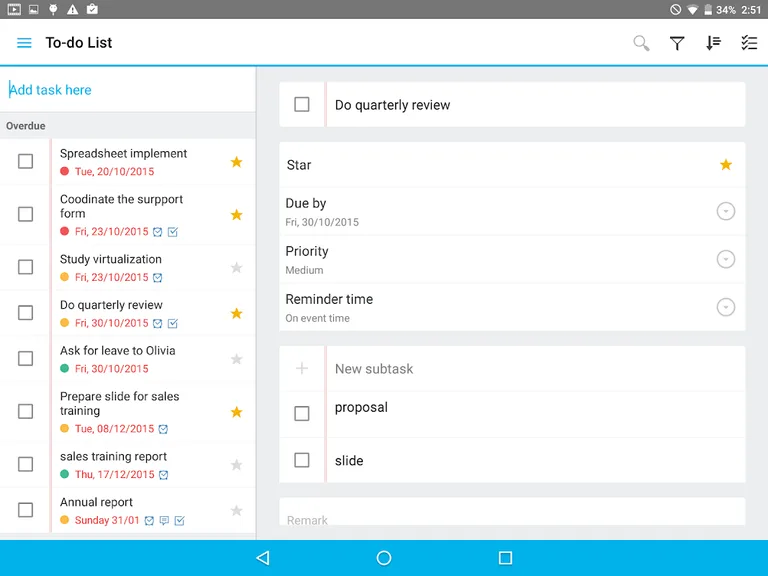
Whether for creating your weekly to-do list, sharing information on projects with your teammates, or simply describing your best holiday memories, DS note’s editing features make it easy and pleasant to take note of anything you want, anywhere you need, even with no network. Use tags, notebooks and shortcuts to organise all your notes, and share them instantly with anyone you want. And that’s always safe as DS note keeps it all in sync with your note library on your Synology NAS server, your personal cloud.
Find all detailed features about the app on our website:
https://www.synology.com/dsm/6.1/software_spec/mobile#DSnote
Whether for creating your weekly to-do list, sharing information on projects with your teammates, or simply describing your best holiday memories, DS note’s editing features make it easy and pleasant to take note of anything you want, anywhere you need, even with no network. Use tags, notebooks and shortcuts to organise all your notes, and share them instantly with anyone you want. And that’s always safe as DS note keeps it all in sync with your note library on your Synology NAS server, your personal cloud.
Find all detailed features about the app on our website:
https://www.synology.com/dsm/6.1/software_spec/mobile#DSnote
Required features
- Faketouch android.hardware.faketouch
- Location android.hardware.location
- Microphone android.hardware.microphone
- Screen Portrait android.hardware.screen.portrait
- Wifi android.hardware.wifi
Permissions (18)
DS note requests the following Android permissions:
- Access Coarse Location android.permission.ACCESS_COARSE_LOCATION
- Access Fine Location android.permission.ACCESS_FINE_LOCATION
- Access Media Location android.permission.ACCESS_MEDIA_LOCATION
- Access Network State android.permission.ACCESS_NETWORK_STATE
- Access Wifi State android.permission.ACCESS_WIFI_STATE
- Change Wifi Multicast State android.permission.CHANGE_WIFI_MULTICAST_STATE
- Foreground Service android.permission.FOREGROUND_SERVICE
- Internet android.permission.INTERNET
- Read External Storage android.permission.READ_EXTERNAL_STORAGE
- Receive Boot Completed android.permission.RECEIVE_BOOT_COMPLETED
- Record Audio android.permission.RECORD_AUDIO
- Use Biometric android.permission.USE_BIOMETRIC
- Use Fingerprint android.permission.USE_FINGERPRINT
- Vibrate android.permission.VIBRATE
- Wake Lock android.permission.WAKE_LOCK
- Write External Storage android.permission.WRITE_EXTERNAL_STORAGE
- Finsky Permission Bind Get Install Referrer Service com.google.android.finsky.permission.BIND_GET_INSTALL_REFERRER_SERVICE
- Providers Gsf Permission Read Gservices com.google.android.providers.gsf.permission.READ_GSERVICES