

UpdatedMay 1, 2025
PublishedApr 26, 2020
Packageit.sourcenetitalia.darkmodeqs
MD5cac1abe061b928a1a6ee8aec91035f05
SHA1 (signer)60:34:87:9C:87:88:E1:CA:EE:24:FD:F4:51:AB:E6:65:CE:92:13:81
Signed byCN=Joseph Parrello, OU=Mobile Dev, O=SourceNet Italia, L=Milan, ST=Italy, C=IT
Malware scanUNKNOWN
Contact[email protected]
Privacy policyView
What's new
Bug fixes and minor improvements.
Description
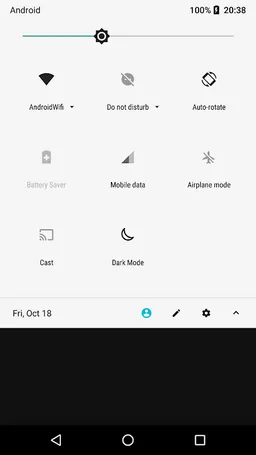
This app allows you to change the current System's Dark Mode by using a Quick-Settings tile.
To insert the above-mentioned tile in Quick-Settings, open the Quick Settings and manually add the tile in the list of available tiles.
Please note that not all Android versions/devices allow apps to change the System's Dark Mode. In this case the only solution remains to use the Android's System Settings.
To insert the above-mentioned tile in Quick-Settings, open the Quick Settings and manually add the tile in the list of available tiles.
Please note that not all Android versions/devices allow apps to change the System's Dark Mode. In this case the only solution remains to use the Android's System Settings.
Required features
- Faketouch android.hardware.faketouch