CyberArk Mobile
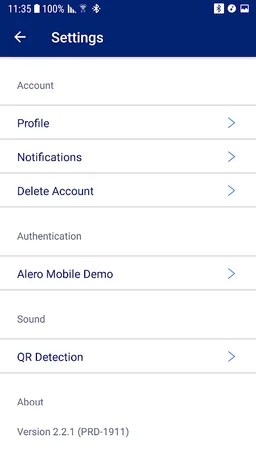
CyberArk Mobile provides secure and seamless remote vendor access to CyberArk
CyberArk Software, Inc · com.cyberark.alero




UpdatedMar 7, 2026
PublishedMar 8, 2024
Packagecom.cyberark.alero
MD574d59727d4651f28aa01ef1f07b32d67
SHA1 (signer)AF:68:6D:24:CC:98:AA:FF:5D:9F:87:C5:F3:E1:9F:0F:56:BE:6C:40
Signed byCN=CyberArk, OU=Alero, O=CyberArk, L=Petah Tiqva, ST=Israel
Malware scanTRUSTED
Websitehttps://www.cyberark.com/
Contact[email protected]
Privacy policyView
What's new
Support SDK 36
Description
CyberArk Mobile is the mobile app for CyberArk Remote Access and CyberArk Identity Secure Web Sessions.
CyberArk Remote Access is a SaaS solution that combines Zero Trust access, biometric multi-factor authentication, just-in-time provisioning and visibility into one. CyberArk Mobile enables vendor access to CyberArk. No VPNs, agents or passwords needed.
CyberArk Identity Secure Web Sessions adds additional layers of security to high-risk browser-based application access via step recording, continuous authentication, and session protection from device-side threats. Secure Web Sessions enables enterprises to record and audit risky user behaviour within any web application protected by CyberArk Workforce Identity while maintaining a frictionless user experience.
The CyberArk Mobile app scans QR codes created on the CyberArk Remote Access or CyberArk Identity Secure Web Sessions portals, and leverages biometric capabilities of your smartphone to secure access through CyberArk.
Before installing this app, please verify that your company or customer has been licensed for necessary services from CyberArk.
CyberArk Remote Access is a SaaS solution that combines Zero Trust access, biometric multi-factor authentication, just-in-time provisioning and visibility into one. CyberArk Mobile enables vendor access to CyberArk. No VPNs, agents or passwords needed.
CyberArk Identity Secure Web Sessions adds additional layers of security to high-risk browser-based application access via step recording, continuous authentication, and session protection from device-side threats. Secure Web Sessions enables enterprises to record and audit risky user behaviour within any web application protected by CyberArk Workforce Identity while maintaining a frictionless user experience.
The CyberArk Mobile app scans QR codes created on the CyberArk Remote Access or CyberArk Identity Secure Web Sessions portals, and leverages biometric capabilities of your smartphone to secure access through CyberArk.
Before installing this app, please verify that your company or customer has been licensed for necessary services from CyberArk.
Required features
- Camera android.hardware.camera
- Camera Any android.hardware.camera.any
- Camera Autofocus android.hardware.camera.autofocus
- Faketouch android.hardware.faketouch
- Screen Portrait android.hardware.screen.portrait
Permissions (16)
CyberArk Mobile requests the following Android permissions:
- Access Adservices Ad Id android.permission.ACCESS_ADSERVICES_AD_ID
- Access Adservices Attribution android.permission.ACCESS_ADSERVICES_ATTRIBUTION
- Access Network State android.permission.ACCESS_NETWORK_STATE
- Activity Recognition android.permission.ACTIVITY_RECOGNITION
- Camera android.permission.CAMERA
- Foreground Service android.permission.FOREGROUND_SERVICE
- Foreground Service Data Sync android.permission.FOREGROUND_SERVICE_DATA_SYNC
- Internet android.permission.INTERNET
- Post Notifications android.permission.POST_NOTIFICATIONS
- Receive Boot Completed android.permission.RECEIVE_BOOT_COMPLETED
- Use Biometric android.permission.USE_BIOMETRIC
- Use Fingerprint android.permission.USE_FINGERPRINT
- Wake Lock android.permission.WAKE_LOCK
- Com Cyberark Alero Dynamic Receiver Not Exported Permission com.cyberark.alero.DYNAMIC_RECEIVER_NOT_EXPORTED_PERMISSION
- C2dm Permission Receive com.google.android.c2dm.permission.RECEIVE
- Finsky Permission Bind Get Install Referrer Service com.google.android.finsky.permission.BIND_GET_INSTALL_REFERRER_SERVICE