BlockSite: Block Apps & Focus
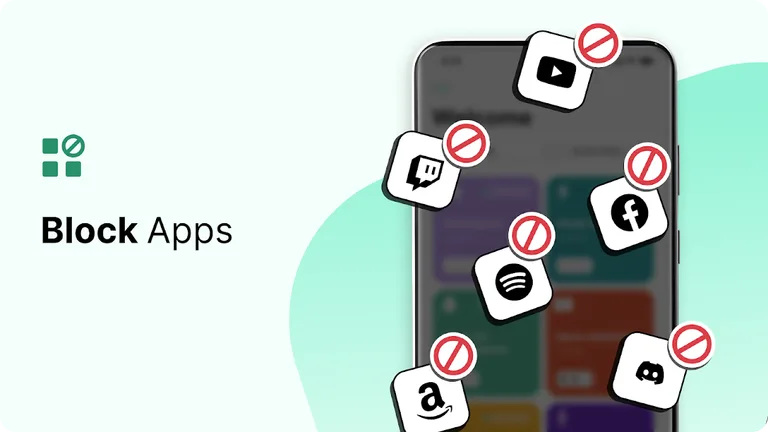
BlockSite helps you block distracting apps to be more focused and productive.
Blocksite · co.blocksite



UpdatedMar 17, 2026
PublishedMar 17, 2026
Packageco.blocksite
MD5c9b37e20c7756135872e831b64664323
SHA1 (signer)7D:64:F9:C2:53:C7:EF:35:A0:72:0F:6F:8A:80:2B:D4:B9:20:AA:3A
Signed byCN=Jx Clarynx, O=zph-mph, OU=anon.org, L=Caraga, ST=Surigao Del Norte, C=8609
Architecturesarmeabi-v7a
Malware scanTRUSTED
Websitehttps://blocksite.co/
Contact[email protected]
Privacy policyView
What's new
Get the world's leading productivity booster!
In this version, we crushed some bugs and improved our blocking features on apps and websites.
In this version, we crushed some bugs and improved our blocking features on apps and websites.
Description
BlockSite is an app and website blocker used by over 5 million people worldwide. Use BlockSite to temporarily block distracting apps and websites so you can be focused, productive and increase your self control.
If you’re looking to be more focused, increase productivity and limit screen time, you should use BlockSite.
Temporarily remove your biggest distractions with customised block lists. Start a focus session to choose which hours of the day you want to be focused and which hours you want to have a break. Block by category to block thousands of websites and apps in one click.
Whether you’re a student looking for a study helper, work from home, want to be more productive or break a bad habit – we can help.
⭐️Features⭐️
Our free features include:
⛔Block Lists
📅Schedule Mode
🎯Focus Mode
✍️Block by Words
💻Device Sync
📈Insights
Premium features for the ultimate focus & productivity:
↪️Redirect Mode: if you try to visit an app or website that you’ve blocked, you will be redirected to a different website instead of a blocked page so you can get back to focusing (for example: if you block YouTube and try to visit it, you can choose to be redirected to your email).
🕮Category Blocking: with category blocking you can block thousands of websites and apps in one click. The categories we offer are: adult content, social media, shopping, news, sports and gambling.
🔑Password Protection: keep yourself focused with password protection. Protect the settings and blocked pages you create with a password so that you aren’t tempted to lose focus.
✔️Custom Block Pages: create custom block pages that you’ll see if you try to visit a website that you’ve blocked. From a funny meme, to a photo of your family, the choice is yours.
🚫Uninstall Prevention: add an additional layer of protection when you try to uninstall the BlockSite app.
BlockSite Productivity Features in Detail:
⛔Block Lists
Add websites and apps to your block list for the ultimate app blocker, and BlockSite will ensure that you don’t visit them while they.re activated.
📅Schedule Mode
Create daily schedules and daily routines when you need to stay on track with the ‘Scheduling’ feature. Set days and times for when you can access certain sites and apps.
🎯Focus Mode
Control your time via the Pomodoro technique. Break down your work into intervals, traditionally 25 minutes, followed by a short break. With Focus Mode you can set times for when to block websites and when to browse freely.
✍️Block by Words (keyword blocking)
Block websites with specific keywords. For example, if you block the keyword ‘face’, you won’t be able to access any websites with a URL that contains the word ‘face’.
💻Device Sync
Whatever you have blocked on your mobile phone, can also be blocked on your computer. You can sync blocked websites, keywords and password protection.
📈 Insights
Use Insights to understand where you spend most of your time online and for how long you spend on each site.
Download BlockSite for FREE on Android and start being more focused and productive.
BlockSite helps you stay focused and avoid distracting websites and apps by using Accessibility services to block them from opening. As part of this process, BlockSite receives and analyses aggregated de-identified information about your mobile data and app use.
For more information, please see our Privacy Policy: https://blocksite.co/privacy/
Terms of Service: https://blocksite.co/terms/
Still have questions? Please visit https://blocksite.co/support-requests/
If you’re looking to be more focused, increase productivity and limit screen time, you should use BlockSite.
Temporarily remove your biggest distractions with customised block lists. Start a focus session to choose which hours of the day you want to be focused and which hours you want to have a break. Block by category to block thousands of websites and apps in one click.
Whether you’re a student looking for a study helper, work from home, want to be more productive or break a bad habit – we can help.
⭐️Features⭐️
Our free features include:
⛔Block Lists
📅Schedule Mode
🎯Focus Mode
✍️Block by Words
💻Device Sync
📈Insights
Premium features for the ultimate focus & productivity:
↪️Redirect Mode: if you try to visit an app or website that you’ve blocked, you will be redirected to a different website instead of a blocked page so you can get back to focusing (for example: if you block YouTube and try to visit it, you can choose to be redirected to your email).
🕮Category Blocking: with category blocking you can block thousands of websites and apps in one click. The categories we offer are: adult content, social media, shopping, news, sports and gambling.
🔑Password Protection: keep yourself focused with password protection. Protect the settings and blocked pages you create with a password so that you aren’t tempted to lose focus.
✔️Custom Block Pages: create custom block pages that you’ll see if you try to visit a website that you’ve blocked. From a funny meme, to a photo of your family, the choice is yours.
🚫Uninstall Prevention: add an additional layer of protection when you try to uninstall the BlockSite app.
BlockSite Productivity Features in Detail:
⛔Block Lists
Add websites and apps to your block list for the ultimate app blocker, and BlockSite will ensure that you don’t visit them while they.re activated.
📅Schedule Mode
Create daily schedules and daily routines when you need to stay on track with the ‘Scheduling’ feature. Set days and times for when you can access certain sites and apps.
🎯Focus Mode
Control your time via the Pomodoro technique. Break down your work into intervals, traditionally 25 minutes, followed by a short break. With Focus Mode you can set times for when to block websites and when to browse freely.
✍️Block by Words (keyword blocking)
Block websites with specific keywords. For example, if you block the keyword ‘face’, you won’t be able to access any websites with a URL that contains the word ‘face’.
💻Device Sync
Whatever you have blocked on your mobile phone, can also be blocked on your computer. You can sync blocked websites, keywords and password protection.
📈 Insights
Use Insights to understand where you spend most of your time online and for how long you spend on each site.
Download BlockSite for FREE on Android and start being more focused and productive.
BlockSite helps you stay focused and avoid distracting websites and apps by using Accessibility services to block them from opening. As part of this process, BlockSite receives and analyses aggregated de-identified information about your mobile data and app use.
For more information, please see our Privacy Policy: https://blocksite.co/privacy/
Terms of Service: https://blocksite.co/terms/
Still have questions? Please visit https://blocksite.co/support-requests/
Required features
- Faketouch android.hardware.faketouch
- Screen Portrait android.hardware.screen.portrait
- Wifi android.hardware.wifi
Permissions (44)
BlockSite: Block Apps & Focus requests the following Android permissions:
- Android Alarm Permission Set Alarm android.alarm.permission.SET_ALARM
- Access Adservices Ad Id android.permission.ACCESS_ADSERVICES_AD_ID
- Access Adservices Attribution android.permission.ACCESS_ADSERVICES_ATTRIBUTION
- Access Adservices Custom Audience android.permission.ACCESS_ADSERVICES_CUSTOM_AUDIENCE
- Access Adservices Topics android.permission.ACCESS_ADSERVICES_TOPICS
- Access Network State android.permission.ACCESS_NETWORK_STATE
- Access Notification Policy android.permission.ACCESS_NOTIFICATION_POLICY
- Access Wifi State android.permission.ACCESS_WIFI_STATE
- Foreground Service android.permission.FOREGROUND_SERVICE
- Internet android.permission.INTERNET
- Package Usage Stats android.permission.PACKAGE_USAGE_STATS
- Post Notifications android.permission.POST_NOTIFICATIONS
- Query All Packages android.permission.QUERY_ALL_PACKAGES
- Read App Badge android.permission.READ_APP_BADGE
- Read External Storage android.permission.READ_EXTERNAL_STORAGE
- Receive Boot Completed android.permission.RECEIVE_BOOT_COMPLETED
- Request Ignore Battery Optimizations android.permission.REQUEST_IGNORE_BATTERY_OPTIMIZATIONS
- System Alert Window android.permission.SYSTEM_ALERT_WINDOW
- Use Exact Alarm android.permission.USE_EXACT_ALARM
- Vibrate android.permission.VIBRATE
- Wake Lock android.permission.WAKE_LOCK
- Co Blocksite Dynamic Receiver Not Exported Permission co.blocksite.DYNAMIC_RECEIVER_NOT_EXPORTED_PERMISSION
- Co Blocksite Permission C2d Message co.blocksite.permission.C2D_MESSAGE
- Com Anddoes Launcher Permission Update Count com.anddoes.launcher.permission.UPDATE_COUNT
- Com Android Vending Billing com.android.vending.BILLING
- C2dm Permission Receive com.google.android.c2dm.permission.RECEIVE
- Finsky Permission Bind Get Install Referrer Service com.google.android.finsky.permission.BIND_GET_INSTALL_REFERRER_SERVICE
- Gms Permission Ad Id com.google.android.gms.permission.AD_ID
- Com Htc Launcher Permission Read Settings com.htc.launcher.permission.READ_SETTINGS
- Com Htc Launcher Permission Update Shortcut com.htc.launcher.permission.UPDATE_SHORTCUT
- Com Huawei Android Launcher Permission Change Badge com.huawei.android.launcher.permission.CHANGE_BADGE
- Com Huawei Android Launcher Permission Read Settings com.huawei.android.launcher.permission.READ_SETTINGS
- Com Huawei Android Launcher Permission Write Settings com.huawei.android.launcher.permission.WRITE_SETTINGS
- Com Huawei Appmarket Service Commondata Permission Get Common Data com.huawei.appmarket.service.commondata.permission.GET_COMMON_DATA
- Com Majeur Launcher Permission Update Badge com.majeur.launcher.permission.UPDATE_BADGE
- Com Oppo Launcher Permission Read Settings com.oppo.launcher.permission.READ_SETTINGS
- Com Oppo Launcher Permission Write Settings com.oppo.launcher.permission.WRITE_SETTINGS
- Com Samsung Android Mapsagent Permission Read App Info com.samsung.android.mapsagent.permission.READ_APP_INFO
- Com Sec Android Provider Badge Permission Read com.sec.android.provider.badge.permission.READ
- Com Sec Android Provider Badge Permission Write com.sec.android.provider.badge.permission.WRITE
- Com Sonyericsson Home Permission Broadcast Badge com.sonyericsson.home.permission.BROADCAST_BADGE
- Com Sonymobile Home Permission Provider Insert Badge com.sonymobile.home.permission.PROVIDER_INSERT_BADGE
- Me Everything Badger Permission Badge Count Read me.everything.badger.permission.BADGE_COUNT_READ
- Me Everything Badger Permission Badge Count Write me.everything.badger.permission.BADGE_COUNT_WRITE