Apkshare & Backup
A simple way to backup and share your installed application.
Snow Corporation Inc. · org.snowcorp.apps.apkshare


UpdatedNov 13, 2025
PublishedJun 7, 2020
Packageorg.snowcorp.apps.apkshare
MD51abac5da3c71e6e524a053ca4762716e
SHA1 (signer)AE:34:5C:F9:14:17:2D:6C:8E:BF:55:03:1E:9F:D4:18:80:3E:BF:04
Signed byCN=Android, OU=Android, O=Google Inc., L=Mountain View, ST=California, C=US
Malware scanTRUSTED
Contact[email protected]
Privacy policyView
What's new
• Multiple apps backups
• Complete apps backups
• Bug fixes
• Performance improvements
• Complete apps backups
• Bug fixes
• Performance improvements
Description
Do you have a situation when your friend bought a new Android phone and you wish to share all the cool apps with him?
Don't you think there should be a simpler way?
Sharing apps with your friends is possible easily now with ApkShare & backup.
ApkShare app show your applications with a list, you can get a installation package (apk file) directly from your memory and share Installed Apps file directly as an attachment via Bluetooth, Email, Dropbox, Google Drive etc.
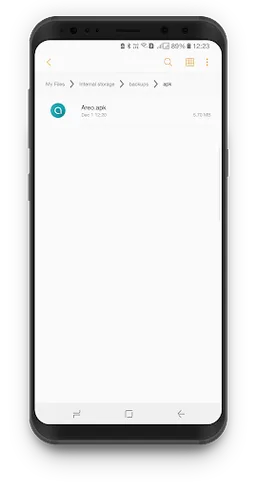
Installed applications can be backup in the sdcard. The storage location is backups/apk on your sdcard and also you can overwrite backup of old application to an updated version.
No rooting required.
When you discover a best apps, You will want to share it with your friends at once, Then, ApkShare will solve these problems. Just find the apps and share it by Click.
Now share your apps, the simpler and cooler way!
We want to sell this app. If anyone interested please contact us at [email protected]
Don't you think there should be a simpler way?
Sharing apps with your friends is possible easily now with ApkShare & backup.
ApkShare app show your applications with a list, you can get a installation package (apk file) directly from your memory and share Installed Apps file directly as an attachment via Bluetooth, Email, Dropbox, Google Drive etc.
Installed applications can be backup in the sdcard. The storage location is backups/apk on your sdcard and also you can overwrite backup of old application to an updated version.
No rooting required.
When you discover a best apps, You will want to share it with your friends at once, Then, ApkShare will solve these problems. Just find the apps and share it by Click.
Now share your apps, the simpler and cooler way!
We want to sell this app. If anyone interested please contact us at [email protected]
Required features
- Faketouch android.hardware.faketouch
Permissions (9)
Apkshare & Backup requests the following Android permissions:
- Access Network State android.permission.ACCESS_NETWORK_STATE
- Foreground Service android.permission.FOREGROUND_SERVICE
- Internet android.permission.INTERNET
- Read External Storage android.permission.READ_EXTERNAL_STORAGE
- Request Delete Packages android.permission.REQUEST_DELETE_PACKAGES
- Wake Lock android.permission.WAKE_LOCK
- Write External Storage android.permission.WRITE_EXTERNAL_STORAGE
- C2dm Permission Receive com.google.android.c2dm.permission.RECEIVE
- Finsky Permission Bind Get Install Referrer Service com.google.android.finsky.permission.BIND_GET_INSTALL_REFERRER_SERVICE